
How to Give Feedback
Your feedback helps make Neurise better! There are several ways you can share your thoughts, report bugs, or request features.
Beta Feedback - Share Screenshots with Context
The easiest way to give feedback is directly from what you’re seeing in the app. Take a screenshot, tap “Share Beta Feedback…”, annotate it, and send it directly to me with context.
How it works:
- Take a screenshot while using the app
- Tap “Share Beta Feedback…” from the share menu
- Annotate the screenshot to highlight what you want to share
- Add your feedback and send it
- I’ll receive it instantly with all the context I need to help you or implement your suggestion
In-App Feedback Options
Access comprehensive feedback tools right from the app’s settings screen.
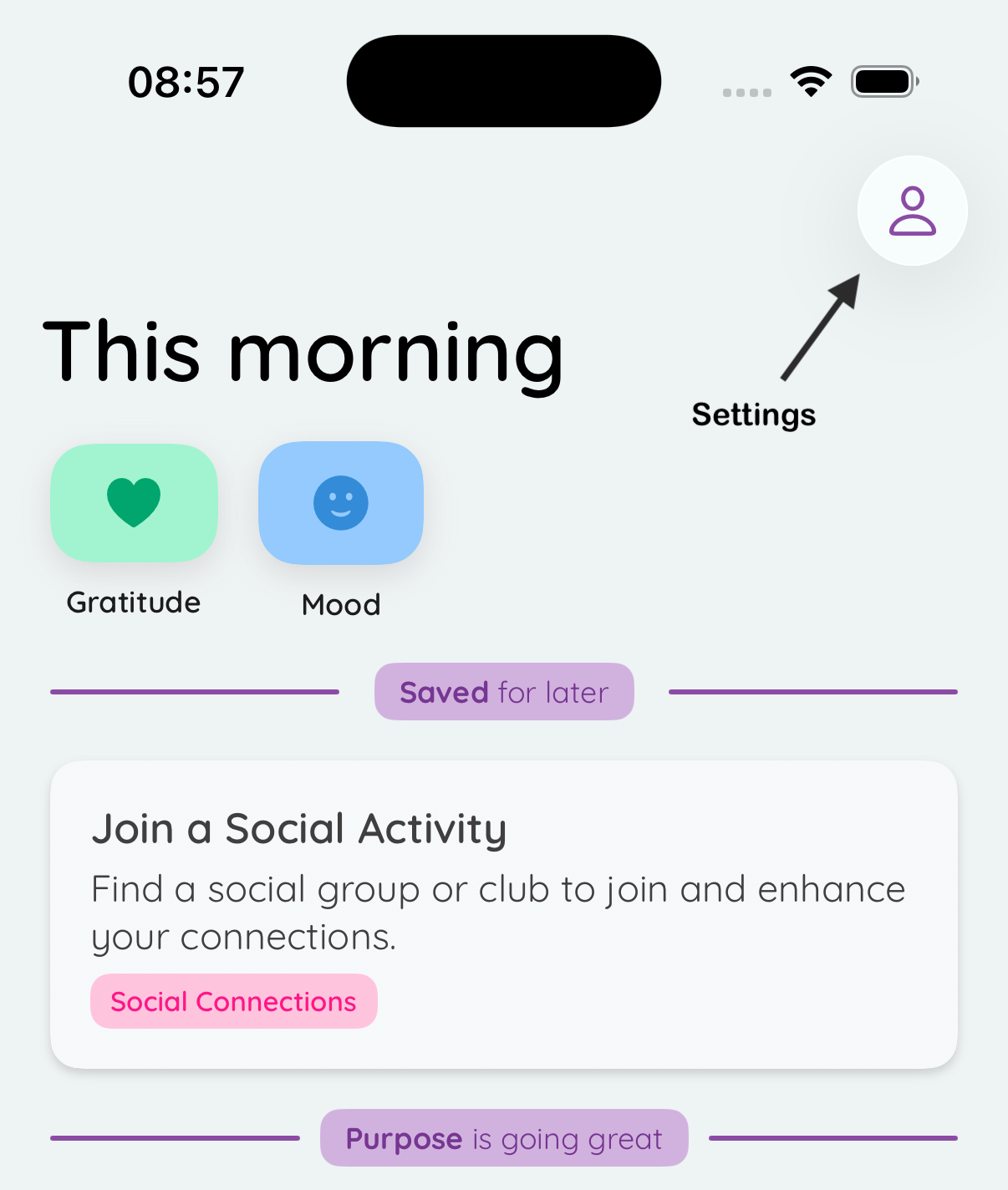
Step 1: Open Settings
Tap the person icon in the top right corner of the home screen to access settings.
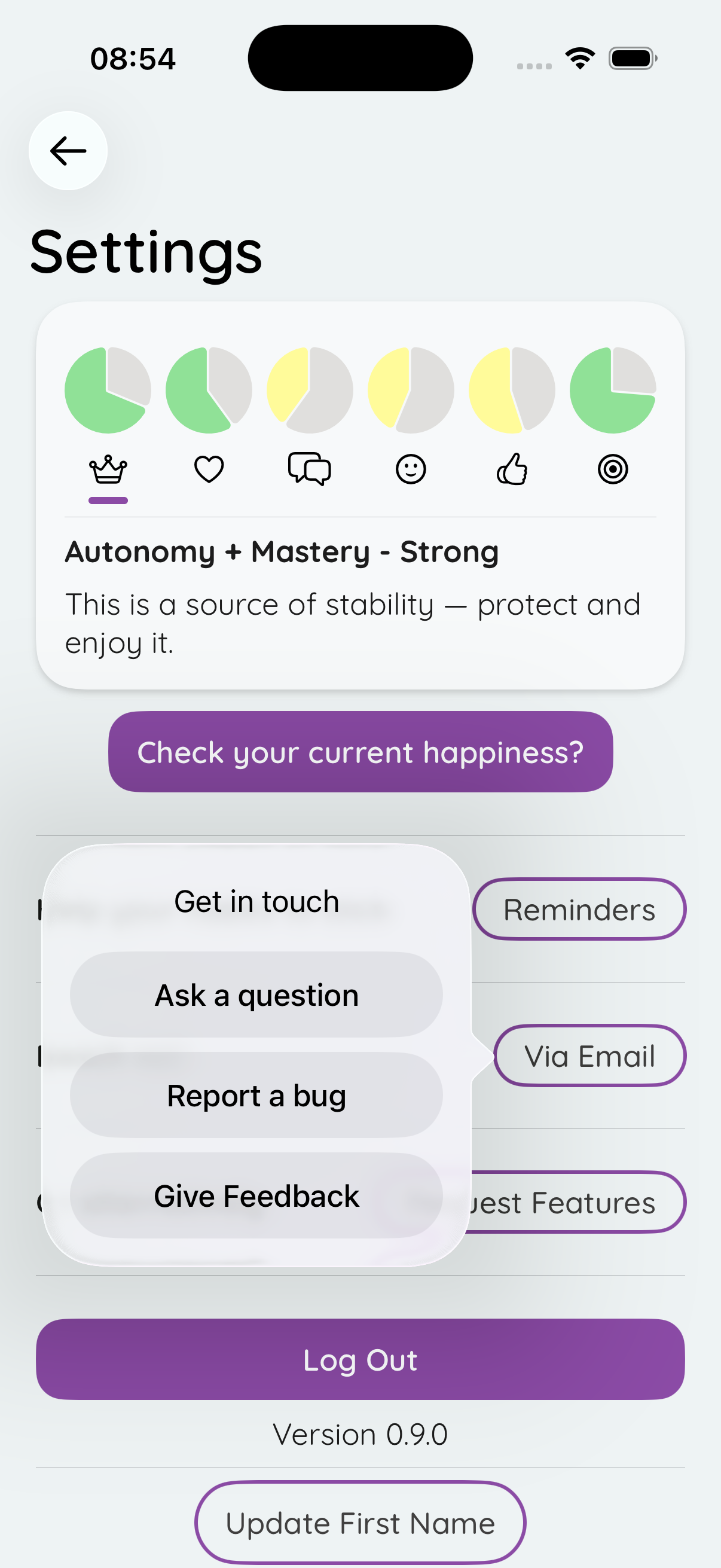
Step 2: Reach Out Via Email
Tap “Reach out via email” to choose from:
- Ask a question - Get help with anything you’re unsure about
- Report a bug - Let me know if something isn’t working right
- Give feedback - Share your thoughts on the app
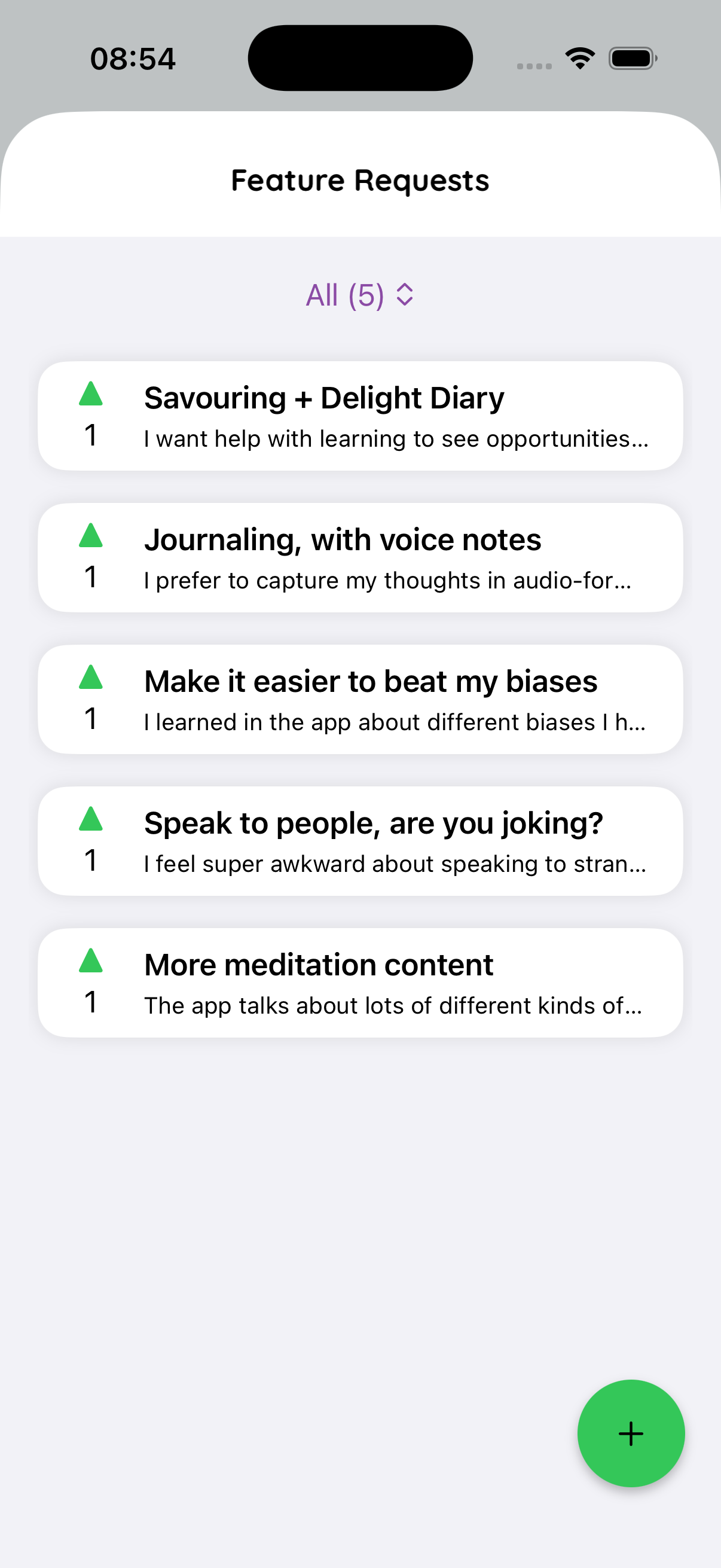
Step 3: Request Features
Tap “Request Features” to access our feature request portal where you can:
- Describe new features you’d like to see
- Vote on feature requests from other users
- See what’s being planned and worked on
- Discuss ideas with the community
Other Ways to Reach Out
- Email me directly: hello@neurise.app
- Message me: Facebook, phone, or any other way you have to reach me
- Settings screen: Always available in the app for quick access to all feedback options
What Happens Next?
When you send feedback:
- I receive it with all the context and details you’ve shared
- I review every piece of feedback personally
- You may receive a follow-up if I need more information
- Your suggestions help shape the future of Neurise
Thank you for being part of making Neurise better!
Need help getting started? Check out our TestFlight Installation Guide or visit our Support page.